SSH connections
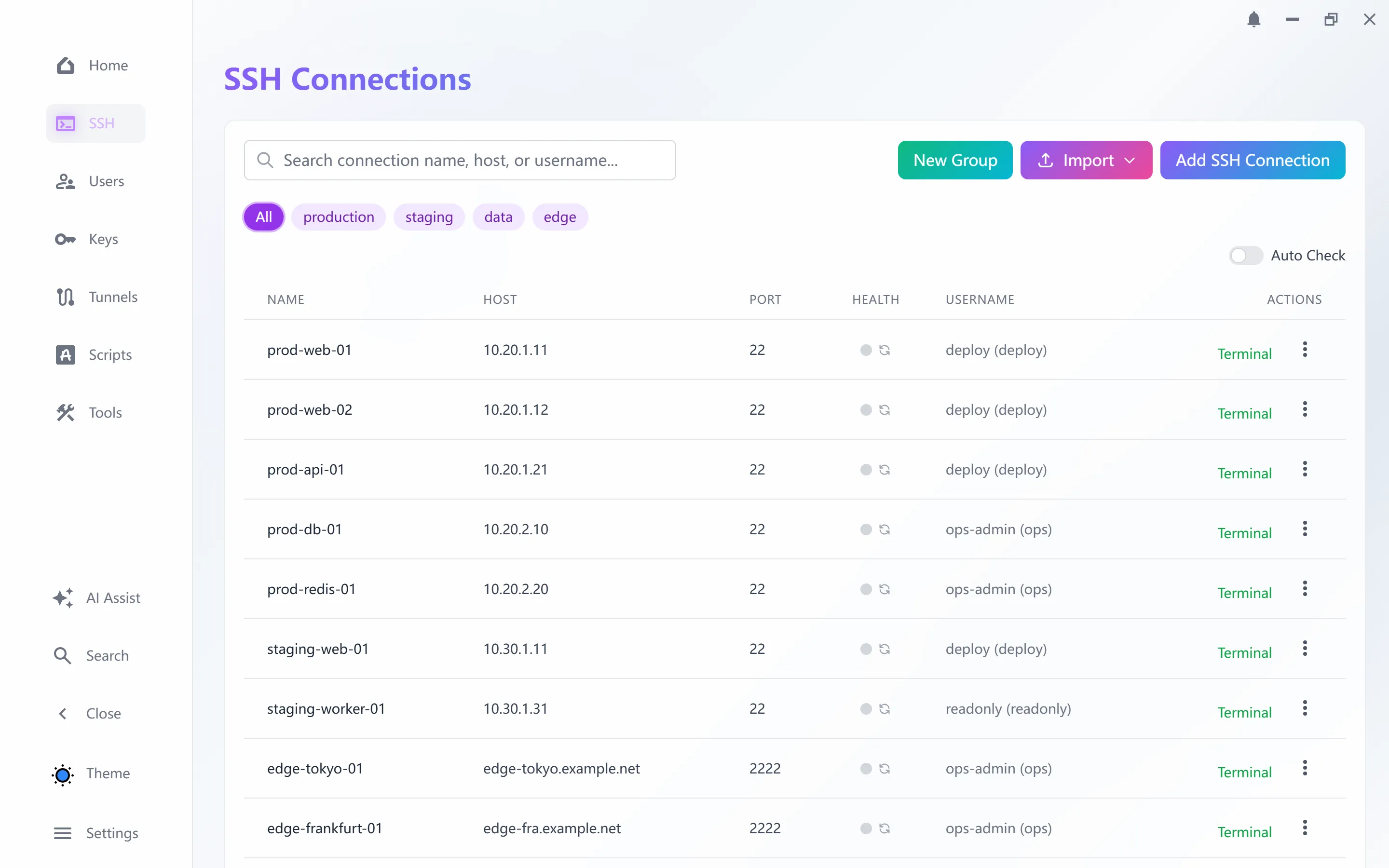
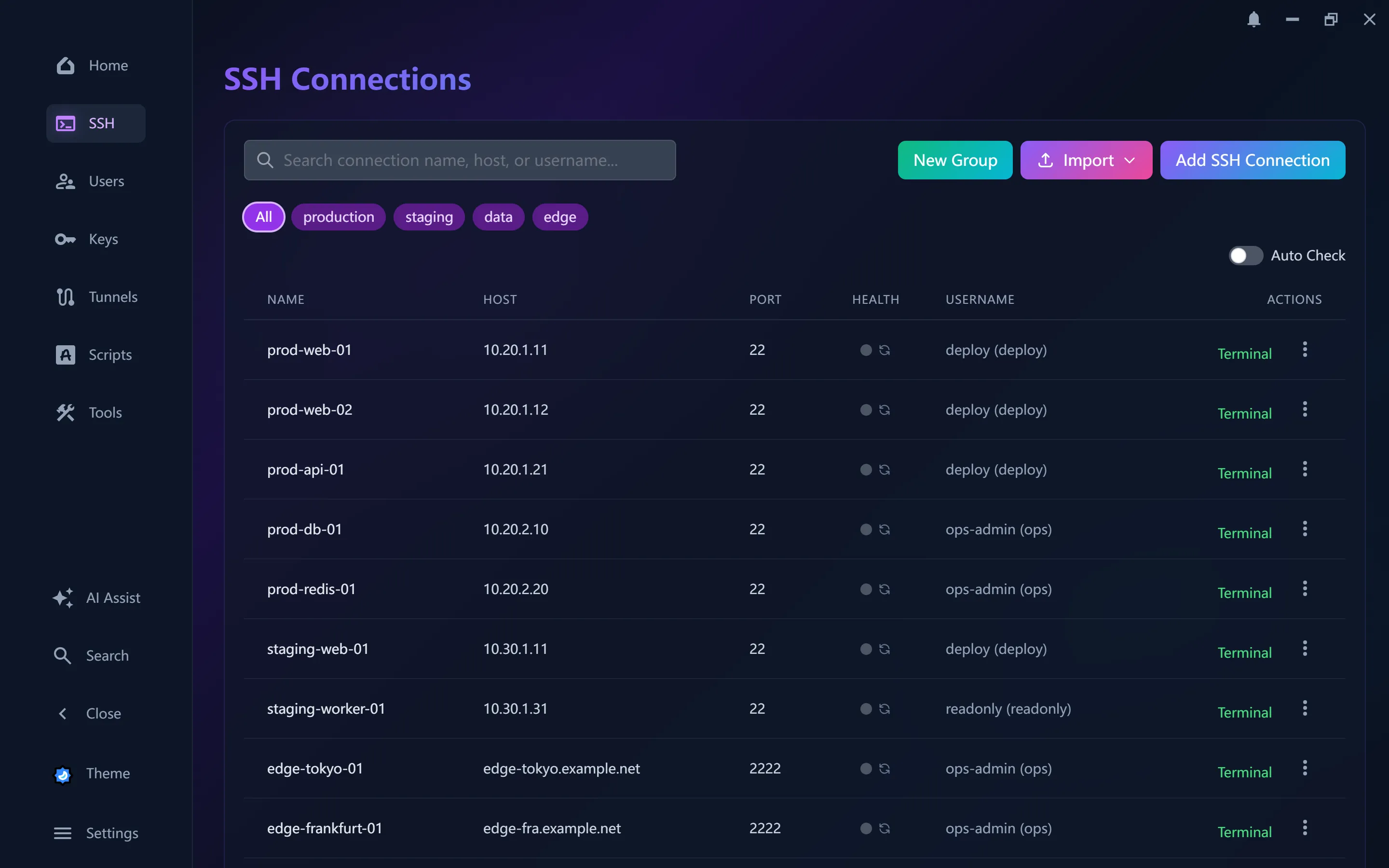
Multi-level jump hosts, live status and one-click reachability tests.
A native Windows desktop app for managing SSH connections, keys, tunnels and tasks, with an AI assistant built in.
Connect, forward, transfer, automate. One tool instead of six.
Multi-level jump hosts, live status and one-click reachability tests.
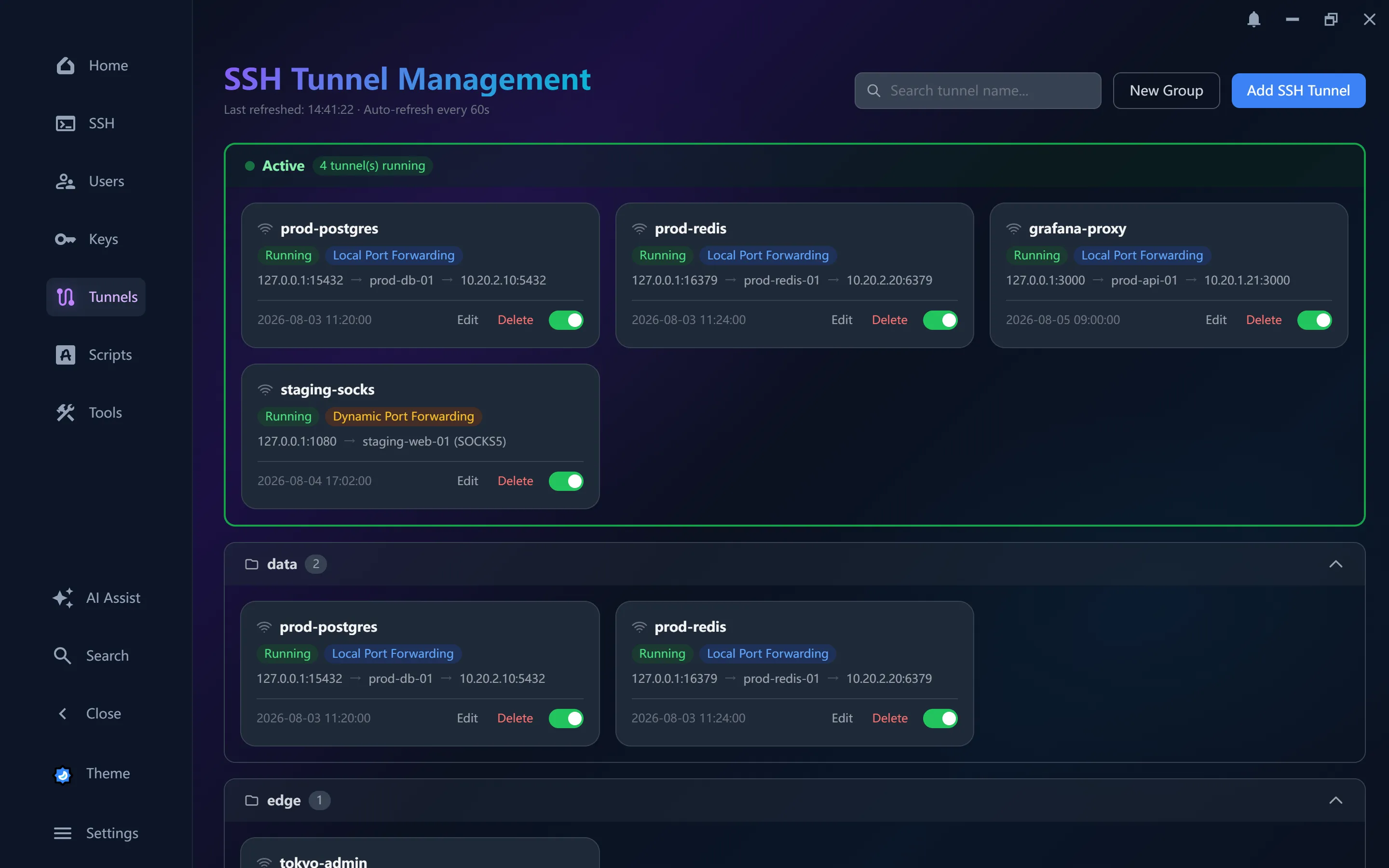
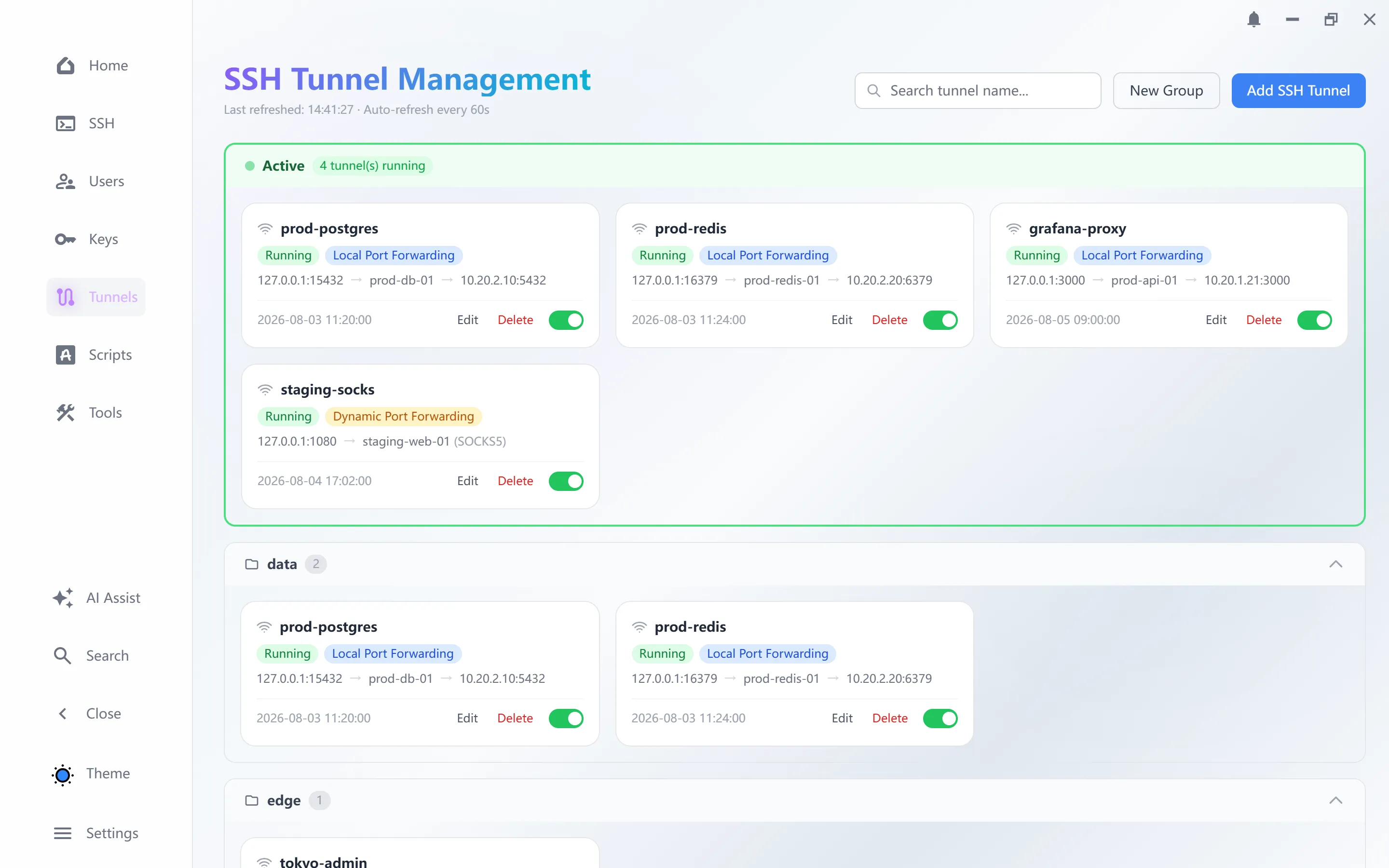
Local, remote and dynamic SOCKS tunnels with health checks.
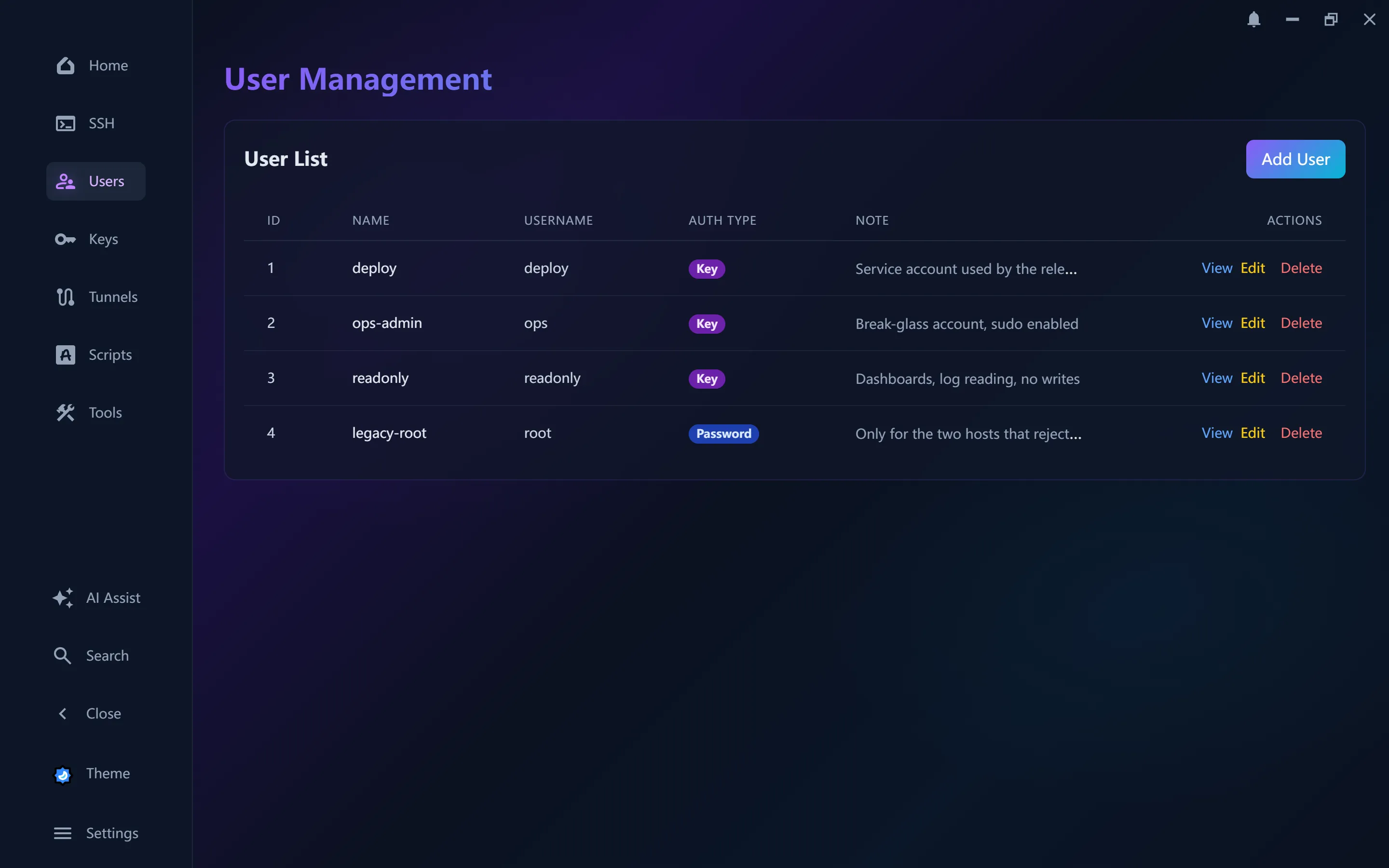
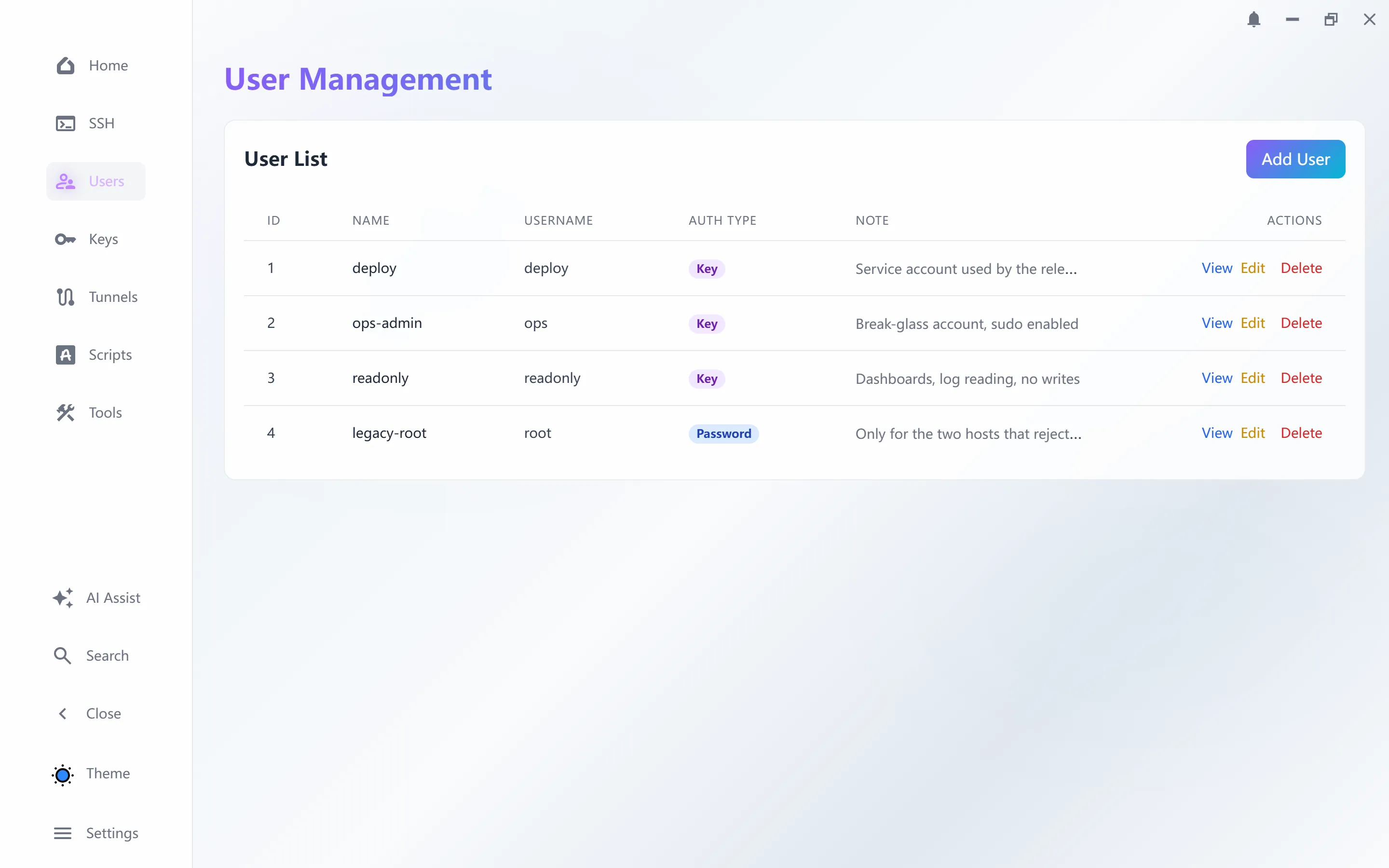
RSA and ECC keys, encrypted imports, roles per user.
Dual-pane transfers and cross-session file copy.
Multi-tab sessions, split panes and in-buffer search.
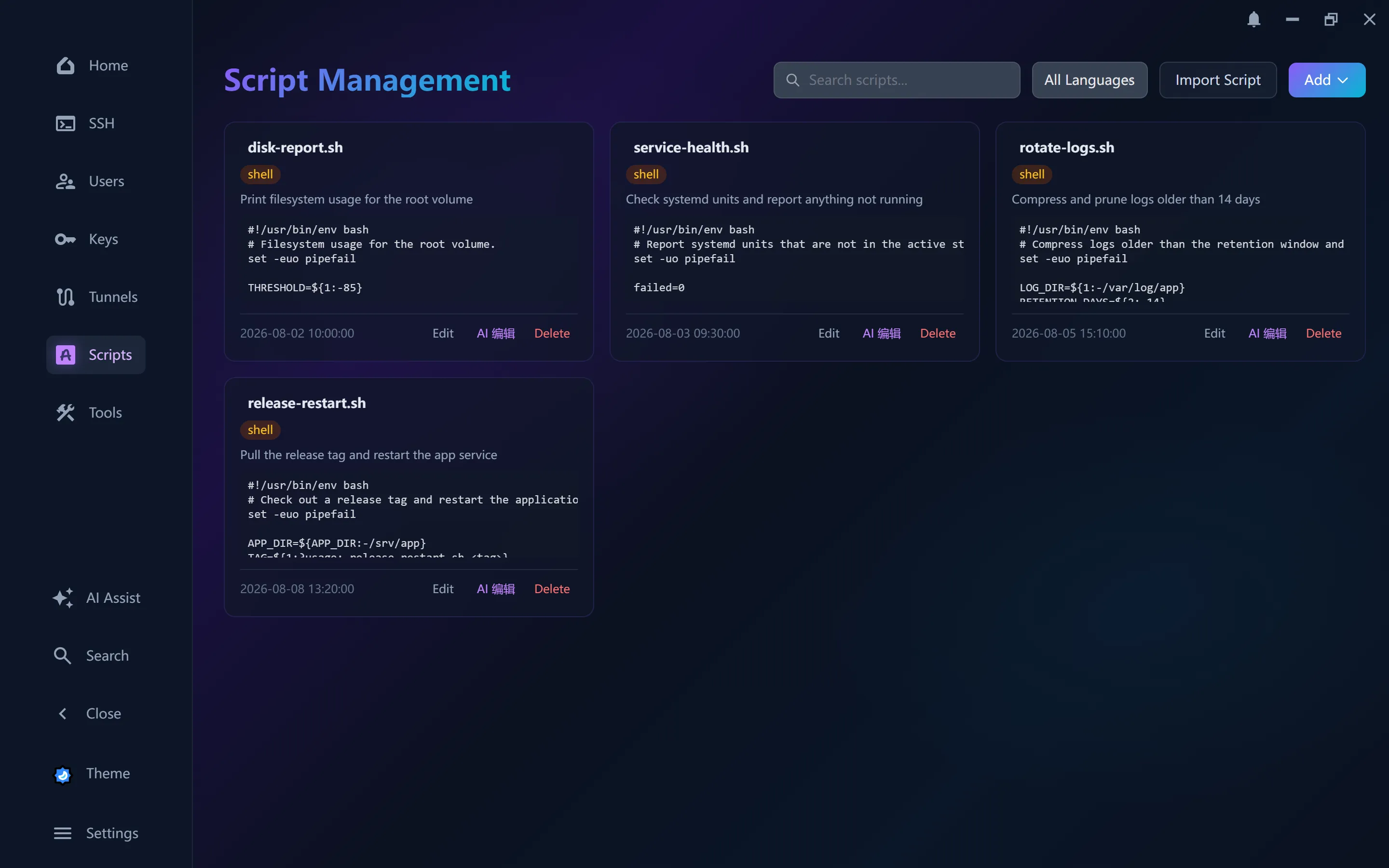
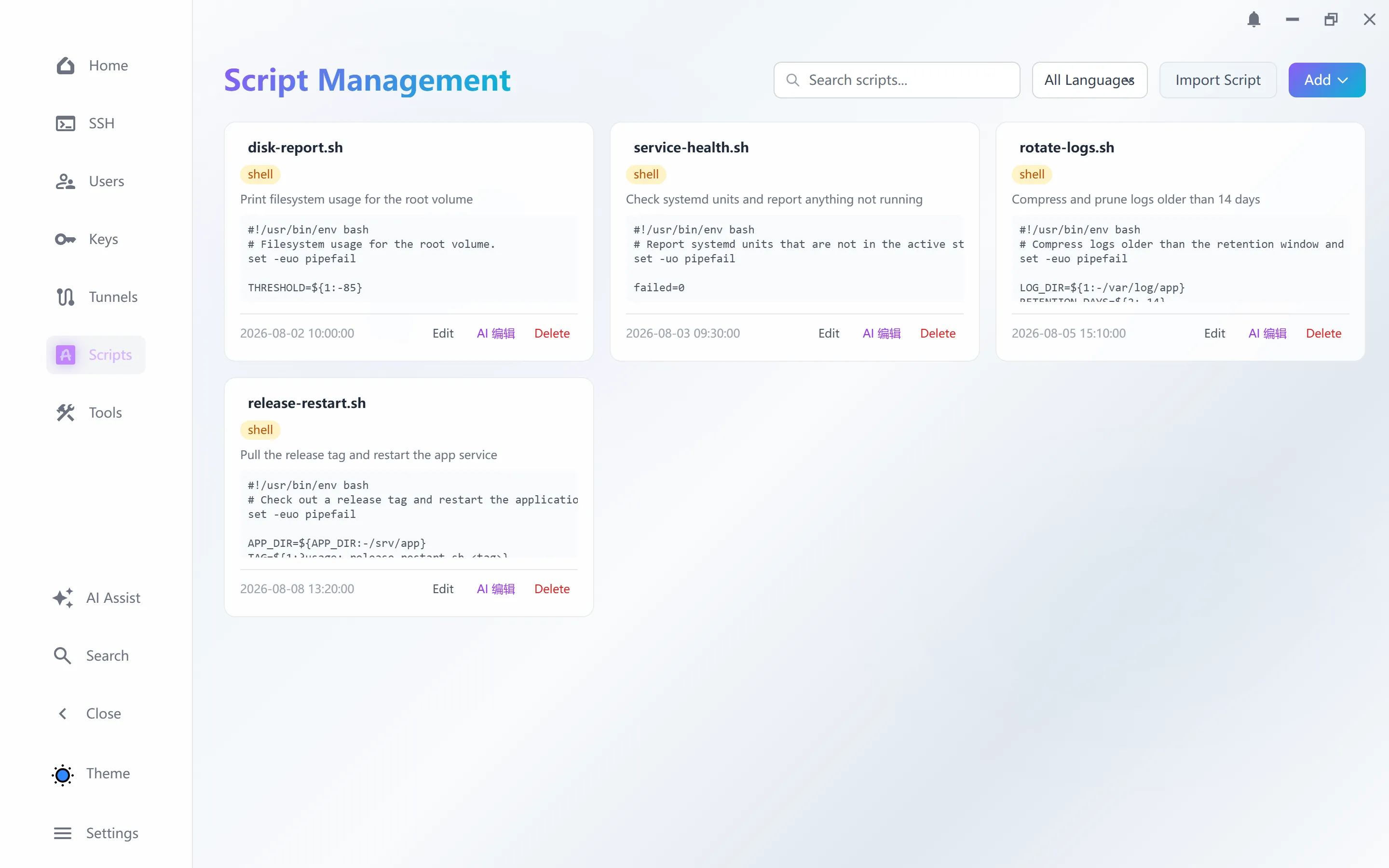
Scheduled jobs with conditions, loops and pipelines.
Generate scripts, read logs and run agent tasks under permissions you set.
Expose your hosts to Cursor, Claude Code and other agents as callable tools.
claude mcp add --transport http sts \
  http://127.0.0.1:8765/mcp

opencode mcp add   # Remote -> http://127.0.0.1:8765/mcp
Every connection, tunnel and task is reachable headlessly with --json output, so scripts and agents can drive them too.
$ sts.exe ssh list
ID  NAME      HOST         PORT  STATUS
1   prod-web  192.168.1.1  22    active
2   dev       10.0.0.5     22    active
Connections, tunnels, keys, scripts and tasks are all managed in one place.
Free, no account needed. AI features use your own model key.
Installs STS with Start Menu and desktop shortcuts, plus an uninstaller.
69cdf7b9b156f9ed8133feb51a43f967183df461b6365fb6d7af49e0ac7e3344A single .exe you can run from anywhere. No installation needed.
36735d40d42ea1b5e3b5dc7b6b6e2e8e7eecad0dd7444a0ba7ec06401f2c1314Compare the SHA-256 checksum after downloading.
Requires 64-bit Windows 10 or 11. WebView2 is installed automatically when missing.
macOS and Linux builds are on the way.